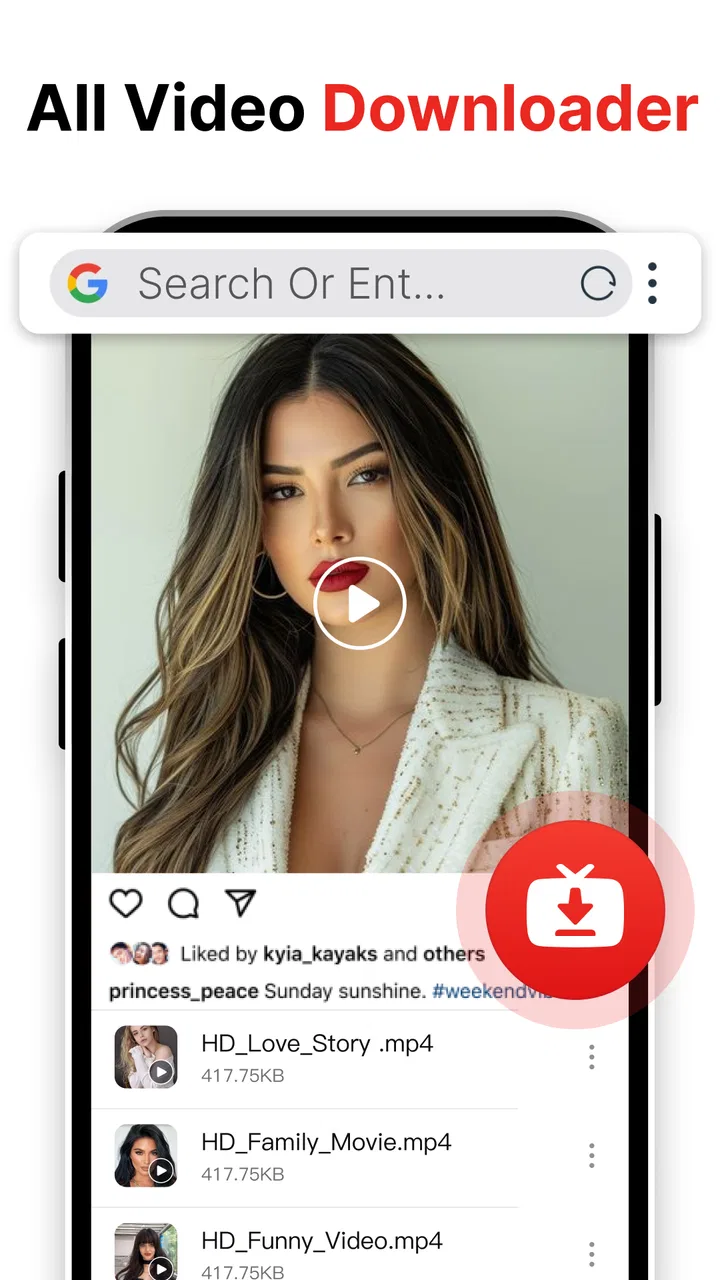
Easy Downloader - Video Hub
- 4.4
- Rating
- 10.00M
- Installs
- Free
- Price

 Analysis by App-foxy
I installed Easy Downloader - Video Hub with a simple goal: take a video I found while browsing social platforms and turn it into a file I could keep available for later. That sounds straightforward, but downloader apps live or die by the small handoffs between finding content, sending it to the app, choosing what to save, and locating the finished file. My experience with this app is that it keeps that journey focused and approachable, while still leaving a few important limits for users to understand before making it their main video tool.
This is a free app in the video players and editors category, developed by Dhvankit. Its store summary centers on fast, private downloading and video saving for social media, while the short description calls it Easy Downloader. That wording matches the general experience: it is aimed at people who want a practical saving utility rather than a full editing suite, media library, or social network.
The app has built a sizeable audience, with an average rating of 4.4 from around 150 thousand ratings and over 10 million installs. Those figures suggest that the basic job is useful to many people, but they should not be mistaken for a guarantee that every social platform or every video link will behave identically. Download tools are especially dependent on the source, the type of post, and the rules of the service where the video was originally published.
You May Also Like

 Blood Strike: 2.5 Anniversary
Blood Strike’s Loadouts Turn Every Drop Into a Tactical Gamble
A close look at Blood Strike’s custom loadouts: how fast access to signature weapons reshapes its battle royale rhythm, rewards preparation, and narrows the gap between fights.

 Pandora - Music & Podcasts
Pandora’s Music Is Easy to Start, but Harder to Recover
Pandora’s strength is its low-effort path from a seed to a station. Its weak spot is how much confidence it asks you to place in connection, setup, and quiet recovery.

 8 Ball Pool
 Is Built on Rivalries, Rematches, and Routine
A close look at the rivalries, rematches, shared routines, and unanswered safety questions that turn a quick pool match into a persistent mobile community.

 Samsung Music
’s Quiet Strength Is Playing What You Already Own
Its reach comes less from spectacle than from dependable access to a personal library. That simplicity is both the app’s strongest retention engine and its ceiling.

 AccuWeather: Weather Radar
AccuWeather Review: A Quick, Clear Forecast for Everyday Decisions
For everyday plans, the best forecast is the one you can understand quickly. AccuWeather makes rain timing, radar, and local conditions easy to act on, with a few trade-offs.

 Hill Climb Racing
Why Hill Climb Racing Still Turns Crashes Into One More Run
A tiny car, a bumpy hill and one more upgrade: Hill Climb Racing keeps resurfacing because its simple chaos makes every near-miss feel personal.
More From Our News Desk



From finding a video to getting a usable file
I focus here on the stretch between spotting a clip and having a file that is genuinely useful: choosing the right post, passing it into the downloader, and checking the result before moving on. A quick final check can save more time than rushing through the handoff, especially when several similar videos are involved. Next, I look at how that process holds up when use gets heavier.
The starting point: a video worth keeping
The most natural starting condition is familiar. I am browsing a social feed, see a useful tutorial, a memorable clip, or a video I want to watch again, and decide that relying on the feed is inconvenient. Maybe the creator removes it later, the connection is unreliable, or I want to show it to someone without searching through the platform again. Easy Downloader - Video Hub is designed for that moment, when the content already exists somewhere else and the app’s job is to help bring it into local storage.
That distinction matters. I would not approach this as an app for discovering new videos. It is better understood as a transfer point between social browsing and offline access. The quality of the experience therefore depends partly on how cleanly I can move the video’s address or share action from the original platform into the downloader.
Before saving anything, I would also think about ownership and permission. A download button can make a file easier to keep, but it does not automatically give me the right to repost someone else’s work. For personal viewing, archiving my own posts, or saving material whose creator has allowed downloads, the workflow makes sense. For commercial reuse or redistribution, I would first check the creator’s terms.
Step one: moving the source into the app
The key handoff is from the social app to Easy Downloader - Video Hub. In practical use, this usually means sharing a video or copying its link, then opening the downloader so it can work with that source. This is the part where a little care saves time: I need to make sure I am passing the actual video post rather than a profile page, a search result, or a link that only works while I am signed in.
When the source is suitable, the app’s focused design is helpful because it does not ask me to manage a large editing project before I can save a clip. I can treat it as a short route: identify the content, hand over the source, and move toward the download. That simplicity is one of its strongest qualities for casual users who do not want a complicated media workflow.
A useful habit is to finish watching or checking the post before sending it across. If a social platform presents several versions of the same clip, I want to choose the exact post I mean to keep. This avoids the common downloader problem of saving a preview, an image, or a shortened version when the original post contained something different.
Step two: checking what will be saved
The next stage is less glamorous but more important than it looks: confirming the item before starting the transfer. I look for the expected video context and make sure I am not saving a link that points to a collection, an account, or a temporary page. A downloader is only as accurate as the source it receives, so this quick check prevents confusion later when several files have similar names.
For people who save many clips, I recommend working in small batches rather than sending everything at once. This makes it easier to match each finished file with its original purpose. One clip may be for a personal reference folder, another for a family chat, and another for a later editing project. Keeping that intention clear at the input stage is more effective than trying to sort a crowded download folder afterward.
The app is free, which removes the usual subscription decision at the point of installation. That is convenient for occasional use, especially if I only need to save a clip now and then. It also means I can test the workflow with a harmless, permitted video before depending on it for a larger personal archive.
Step three: waiting for the handoff to finish
Once the download begins, the phone becomes the middleman. The source platform has to provide the content, the app has to process the request, and the device has to write the result somewhere accessible. I find it useful to avoid switching rapidly between several apps during this stage. If the source requires a live session or changes how it serves the post, an interrupted handoff can be more frustrating than a slow one.
“Fast” is a useful aim for this kind of tool, but it should be read as a goal of the experience rather than a promise that every file will arrive instantly. The real speed depends on the source service, the connection, the video’s size, and the phone’s available storage. A short clip on a stable connection is a very different task from a long, high-quality video saved while the network is busy.
My practical advice is to start larger transfers when the phone is not already struggling with other storage-heavy work. I would also check available space before building a collection. A downloader can make saving feel effortless, which makes it easy to accumulate files I forget about. The convenience is most valuable when paired with occasional cleanup.
The result: a video that fits into the rest of the phone
The workflow succeeds when the saved video is easy to find and useful outside the original feed. That might mean watching it during travel, keeping a copy of a personal post, showing it to someone without opening the social app, or passing it into another mobile editing workflow. This is where the app’s category becomes relevant: it is not just about acquisition, but about placing video into the ordinary media life of the phone.
I would give the finished file a quick test rather than assuming everything went perfectly. I check that it opens, that the picture and sound are present, and that it is the clip I intended to save. This is especially worthwhile when I am collecting several videos in succession. A ten-second inspection at the end is cheaper than discovering later that an important reference file is incomplete or unrelated.
For personal organization, I would separate temporary downloads from videos I genuinely want to keep. The app helps with the saving step, but long-term organization still belongs to me. A simple routine—review new files, rename or move the important ones, and remove duplicates—turns a one-off downloader into a more manageable archive.
Where the flow breaks
The biggest weakness is not necessarily inside the interface; it is the dependency on outside platforms. A link may fail because the post is private, restricted, removed, login-dependent, or served in a format the app cannot process. When that happens, repeating the same action usually does not solve the underlying problem. I would first return to the original post, confirm that it still plays normally, and then try again with the direct share or copied link.
Some social content is also more complicated than a single public video. A post may contain several media items, a temporary story, a live broadcast, or an embedded player. I would not assume that every kind of content follows the same path as a standard public clip. Easy Downloader - Video Hub is most appealing when the input is clear and the intended result is simply one saved video.
Another point of friction is expectation. Users who want advanced editing, captions, transitions, detailed file conversion, or a professional media catalog may find the app too narrow. Its role is closer to a saving utility than a replacement for a dedicated editor or the built-in tools of a major social platform. If my main goal is to create polished videos, I would use a proper editor after the download rather than expect this app to handle the whole production process.
Privacy also deserves a sensible interpretation. The app’s positioning emphasizes private downloading, which is appealing when I want a personal, low-profile workflow. Still, privacy is not the same as invisibility or permission to bypass a platform’s access controls. I would avoid entering credentials into unfamiliar prompts, keep downloads limited to content I am allowed to retain, and treat unexpected requests as a reason to stop and reassess.
Who benefits most from the workflow
I think the best match is someone who regularly encounters useful social videos and wants a straightforward way to save them for later. Students may use it to keep permitted reference clips, families may save personal memories shared through social services, and casual viewers may prefer a local copy for moments when opening the original platform is inconvenient. The app also suits people who dislike complicated interfaces and want the downloader step to stay separate from editing.
It can be particularly handy in an everyday situation such as this: I find a short repair demonstration while scrolling, know I will need it when I am away from a reliable connection, and save it before putting the phone down. Later, I can open the stored video directly instead of trying to remember the creator’s name or reconstructing the search. The value is not dramatic, but it is real: fewer repeated searches and a more dependable personal reference.
I would recommend skipping it if the intended workflow depends on protected, private, or constantly changing sources, or if I need guaranteed compatibility with every social service. I would also choose another tool if I need a complete editor, automatic cataloging, cloud synchronization, or detailed control over output formats. Those are different needs, and a narrowly focused downloader should not be judged as though it were a full media workstation.
How it compares with usual alternatives
The usual alternatives are the social platform’s own save feature, screen recording, a browser-based downloader, or a dedicated file manager paired with another tool. The built-in save option is often cleaner when I only want to bookmark a post, but it may not give me a local video file. Screen recording works as a fallback for content I am permitted to capture, yet it can introduce extra steps and may produce a less convenient result.
Browser-based services can avoid installing an app, but they add a separate copy-and-paste journey and may feel less comfortable for repeated personal use. A dedicated editor is stronger once the file is already available, but it does not necessarily make the initial saving step easier. Easy Downloader - Video Hub sits between these choices: more direct than a browser workaround, more focused than an editor, and more useful for local access than a simple in-platform bookmark.
The trade-off is that this focused approach does not remove the source platform’s restrictions. It streamlines the handoff when the source cooperates, but it cannot turn every post into a downloadable file. That is the central expectation I would set before installing it: the app can simplify a valid, accessible workflow, not guarantee a universal escape route from every social media format.
Device fit, age rating, and version context
The app supports Android devices running version 8.0 or later, so it remains relevant to people using phones that are not on the newest system software. Its content rating is Teen, which is a sensible reminder that the app may be used around social material that varies widely in subject matter. Parents and younger users should still consider the content reached through the source platforms, not only the downloader’s label.
The current version is 2.3.3, and the app was released on December 3, 2024. I would keep it updated through the normal app channel because downloader compatibility can be affected by changes outside the app itself. An update cannot guarantee that a newly changed platform will work, but using an older build can add avoidable friction when the developer has adjusted the workflow.
My practical verdict after following the whole route
After looking at the complete path—from finding a clip, handing its source to the app, waiting for the transfer, checking the result, and dealing with failed links—I see Easy Downloader - Video Hub as a useful specialist rather than an all-purpose video solution. Its best quality is the reduction of clutter around a simple task. When I have an accessible video and a legitimate reason to keep it, the app gives that task a clear destination.
The limitations are equally clear. Success depends on the original platform, the kind of post, the connection, and my willingness to organize the files afterward. It is not the right answer for protected content, guaranteed universal support, or serious editing. Those boundaries do not make it a poor app; they define where it belongs in my toolkit.
For a free Android downloader from Dhvankit, the combination of a 4.4 average, a broad install base, and a focused purpose makes it worth trying if local social-video saving is a regular need. I would start with a permitted public clip, verify the saved result, and then decide whether it fits my routine. The best reason to use it is not that it promises to solve every download problem, but that it makes the ordinary ones easier to complete from input to outcome.
In my view, that makes it a sensible recommendation for casual savers, personal archivers, and people who want a simple bridge from social browsing to offline viewing. I would keep a dedicated editor and the platform’s own tools nearby for tasks that require more control. Used with those expectations, Easy Downloader - Video Hub earns its place as a practical, focused addition to an Android video toolkit.
FAQs for Easy Downloader - Video Hub
01What types of videos can I download with Easy Downloader - Video Hub?
Easy Downloader - Video Hub supports a wide range of video formats, allowing users to download videos from popular social media platforms and video-sharing websites. Whether it’s MP4, AVI, or MOV, this app provides compatibility with most common video formats, ensuring a seamless download experience for users.
02Is Easy Downloader - Video Hub free to use?
Yes, Easy Downloader - Video Hub offers a free version with basic features. However, there might be in-app purchases or a premium version available for users who want advanced features, such as ad-free experience, faster download speeds, or additional file management options.
03How secure is Easy Downloader - Video Hub for my device?
Easy Downloader - Video Hub is designed with user security in mind. It uses secure connections to ensure your data is protected during downloads. However, it's essential to download the app from a reputable source, like the official app stores, to avoid any security risks from unofficial versions.
04Can I download videos in high definition with Easy Downloader - Video Hub?
Yes, Easy Downloader - Video Hub allows users to download videos in various resolutions, including high definition (HD) if the source video supports it. Users can select their preferred resolution before downloading, making it easy to save videos in the quality that suits their needs.
05Does Easy Downloader - Video Hub support background downloading?
Easy Downloader - Video Hub supports background downloading, allowing you to multitask while your videos are being downloaded. This feature provides convenience and efficiency, enabling you to use other apps or perform tasks on your device without interrupting the download process.
Pros
- User-friendly interface for quick navigation.
- Supports multiple video platforms seamlessly.
- Fast download speeds enhance user experience.
- Allows batch downloads for efficiency.
- Includes built-in media player for previews.
Cons
- Ads can be intrusive and frequent.
- Limited format options for downloads.
- Occasional crashes during large downloads.
- Requires permissions that may concern privacy.
- No option for in-app purchases to remove ads.

Easy Downloader - Video Hub
Gallery